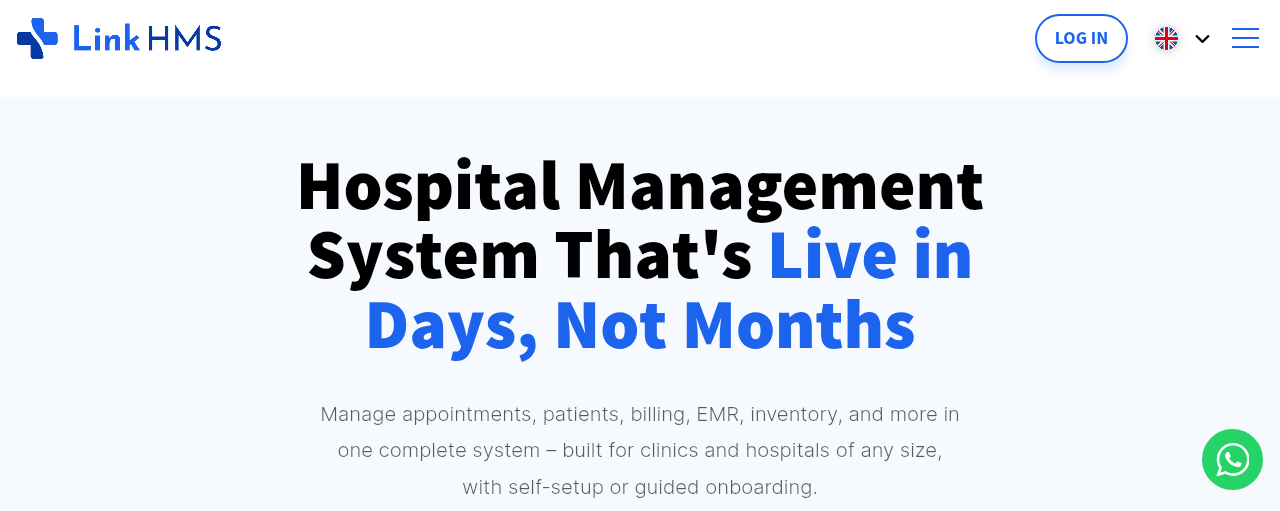
LinkHMS Review: Overview
LinkHMS review searches have increased significantly as clinics, hospitals, and healthcare professionals look for reliable hospital management software that can simplify operations and improve patient care. Choosing the right Hospital Management System (HMS) is critical because it affects everything from patient records and scheduling to billing, laboratory workflows, and overall efficiency.
In this comprehensive LinkHMS review, we’ll examine the platform in detail, including its features, pricing, usability, telehealth capabilities, pros and cons, and how it compares to other healthcare software solutions. By the end of this review, you’ll know whether LinkHMS is the right fit for your clinic, hospital, or healthcare practice.
Table of Contents
What is LinkHMS?
LinkHMS is a cloud-based Hospital Management System (HMS) and Electronic Medical Records (EMR) platform designed to help healthcare providers manage their operations efficiently. The software combines patient management, billing, scheduling, laboratory systems, pharmacy inventory, reporting, and telehealth tools into a single platform.
Unlike traditional hospital software that requires expensive installation and maintenance, LinkHMS operates in the cloud, making it accessible from anywhere with an internet connection.
Who is LinkHMS Designed For?
LinkHMS is suitable for a wide range of healthcare providers, including:
- Small clinics
- Private hospitals
- Multi-specialty hospitals
- Dental clinics
- Diagnostic centers
- Pharmacies
- Healthcare startups
- Multi-branch healthcare organizations
One of the reasons LinkHMS is gaining popularity is because it can scale from small practices to larger healthcare systems.
Key Benefits of LinkHMS
Some of the most important benefits of LinkHMS include:
- Centralized patient records
- Easy appointment management
- Cloud-based accessibility
- Laboratory and pharmacy integration
- Telemedicine support
- Financial reporting and analytics
- Workflow automation
- Reduced paperwork
These features help healthcare providers save time, improve productivity, and deliver better patient experiences.
Key Features
Electronic Medical Records (EMR)
One of the strongest aspects of this LinkHMS review is the EMR functionality. LinkHMS allows healthcare providers to store, access, and manage patient records securely in one centralized location.
Features include:
- Digital patient charts
- Medical history tracking
- Prescription management
- SOAP notes
- Clinical documentation
- Diagnostic reports
- Progress tracking
The EMR system reduces dependence on paper records and makes information accessible instantly.
Quick Overview
| Platform | Best For | Key Strength | Main Limitation |
|---|---|---|---|
| LinkHMS | Hospitals & clinics | Complete HMS + EMR ecosystem | May be too advanced for solo users |
| Carepatron | Small practices & startups | Affordable all-in-one solution | Fewer advanced integrations |
| SimplePractice | Therapists & mental health | Strong telehealth and billing | Higher pricing |
| Bamboo Health | Healthcare networks & data sharing | Care coordination & analytics | Less suitable for small clinics |
Appointment Scheduling and Patient Management
Managing appointments manually can be time-consuming and prone to errors. LinkHMS simplifies scheduling through:
- Online appointment booking
- Automated reminders
- Calendar synchronization
- Queue management
- Patient registration
This helps reduce missed appointments and improves clinic efficiency.
Billing and Invoicing System
Billing is a critical part of healthcare management, and LinkHMS provides tools for:
- Invoice generation
- Payment tracking
- Insurance processing
- Tax calculations
- Financial reports
The billing system is designed to reduce errors and improve transparency.
Laboratory and Pharmacy Management
A major advantage highlighted in this LinkHMS review is its integrated laboratory and pharmacy functionality.
Laboratory features include:
- Test order management
- Diagnostic reporting
- Sample tracking
- Result management
Pharmacy features include:
- Inventory tracking
- Drug stock alerts
- Prescription management
- Sales tracking
Ease of Use
User Interface and Dashboard
LinkHMS offers a clean and organized interface designed for healthcare professionals rather than technical users.
The dashboard provides quick access to:
- Appointments
- Patient records
- Billing
- Reports
- Staff management
The navigation is intuitive, which helps reduce training time.
Setup and Onboarding Process
One of the benefits of cloud-based software is fast deployment. LinkHMS can typically be set up much faster than traditional hospital systems.
The onboarding process usually includes:
- Account setup
- Staff onboarding
- Data migration
- Workflow customization
- Training sessions
Learning Curve for Healthcare Staff
Compared to some enterprise-level hospital systems, LinkHMS has a relatively short learning curve.
Healthcare staff such as:
- Nurses
- Doctors
- Receptionists
- Laboratory staff
- Pharmacists
can quickly learn the platform with minimal training.
Pricing and Plans
Free Trial Availability
Many healthcare providers prefer testing software before committing financially. LinkHMS offers a free trial that allows users to explore its features.
The free trial is useful for evaluating:
- Ease of use
- Workflow compatibility
- Staff adoption
- Performance
Subscription Plans
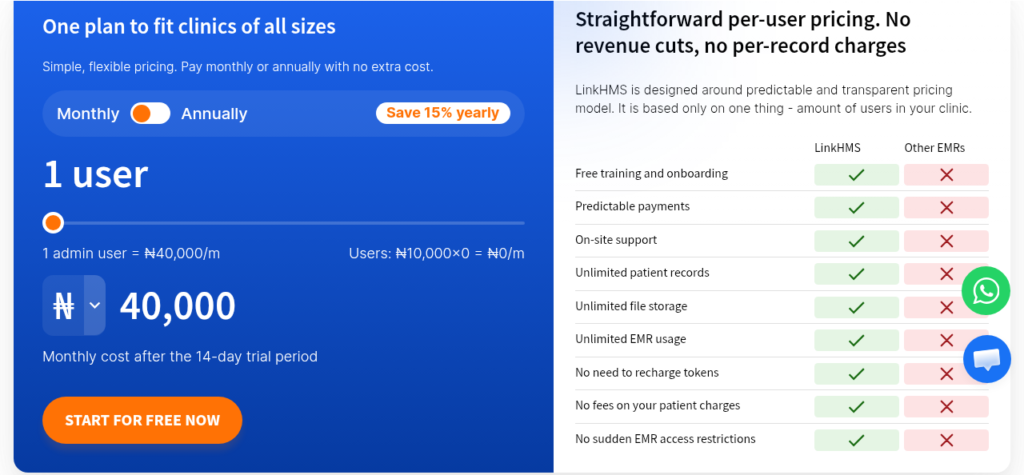
LinkHMS uses a subscription-based pricing model.
Pricing may vary depending on:
- Number of users
- Modules required
- Size of facility
- Cloud storage requirements
Plans typically include:
- Basic clinic plans
- Advanced hospital plans
- Multi-location enterprise plans
Is LinkHMS Worth the Price?
For small and medium healthcare organizations, LinkHMS provides strong value because it combines multiple systems into one platform.
Instead of purchasing separate software for:
- Billing
- EMR
- Laboratory management
- Scheduling
- Pharmacy inventory
providers can manage everything centrally.
Appointment and Workflow Management
Online Appointment Booking
Patients increasingly prefer booking appointments online. LinkHMS allows healthcare providers to offer convenient online scheduling.
Benefits include:
- Reduced administrative workload
- Better patient experience
- Fewer scheduling conflicts
- Increased efficiency
Staff Scheduling Features
Healthcare facilities often struggle with staff scheduling. LinkHMS helps manage:
- Shift schedules
- Department assignments
- Attendance tracking
- Workload distribution
This is especially useful for hospitals with multiple departments.
Workflow Automation Tools
Workflow automation is another strong point in this LinkHMS review.
Automation features include:
- Appointment reminders
- Billing notifications
- Lab alerts
- Prescription reminders
- Automated reporting
Automation reduces manual work and improves operational efficiency.
EMR and Clinical Documentation
Patient Records Management
Efficient patient record management improves continuity of care.
It allows providers to:
- Access records instantly
- Track treatment history
- Review diagnostic reports
- Monitor chronic conditions
Clinical Notes and Templates
Healthcare professionals can create:
- SOAP notes
- Progress notes
- Treatment plans
- Consultation records
Templates help save time and standardize documentation.
Paperless Documentation Workflow
It helps reduce paper usage through fully digital workflows.
Benefits include:
- Easier record retrieval
- Reduced storage costs
- Better collaboration
- Improved security
Billing and Financial Management
Payment Processing Features
It supports multiple payment methods, including:
- Cash
- Card payments
- Online payments
- Insurance billing
This flexibility improves patient convenience.
Insurance and Claims Management
Insurance management can be complex, but it simplifies the process through:
- Claims tracking
- Insurance verification
- Reimbursement monitoring
- Billing automation
Financial Reporting and Analytics
Financial reporting tools help healthcare facilities monitor performance.
Reports may include:
- Revenue reports
- Expense tracking
- Department performance
- Outstanding payments
Laboratory and Pharmacy Features
Laboratory Information Management
The laboratory module allows efficient management of:
- Diagnostic tests
- Sample tracking
- Test results
- Lab workflows
This improves turnaround times and reduces errors.
Pharmacy Inventory Management
Pharmacy inventory tools help healthcare providers:
- Monitor stock levels
- Track expiry dates
- Manage prescriptions
- Reduce inventory waste
Diagnostic Reporting Features
Diagnostic reports can be generated digitally and shared securely with healthcare providers and patients.
Telehealth and Remote Care
Video Consultation Features
Telemedicine has become essential in modern healthcare.
It supports:
- Secure video consultations
- Virtual follow-ups
- Remote consultations
- Telehealth scheduling
Remote Patient Monitoring
Remote care tools allow providers to monitor patient progress outside the clinic.
This is useful for:
- Chronic disease management
- Post-surgical follow-up
- Elderly care
Patient Communication Tools
Communication tools include:
- SMS reminders
- Email notifications
- Secure messaging
- Appointment alerts
Good communication improves patient satisfaction.
Integrations and Compatibility
Third-Party Integrations
Healthcare organizations often use multiple software systems. It supports integrations with:
- Payment gateways
- Diagnostic equipment
- Communication tools
- Accounting systems
Calendar and System Sync
Calendar synchronization helps providers coordinate appointments efficiently.
Supported integrations may include:
- Google Calendar
- Outlook Calendar
- Internal scheduling tools
API and Customization Options
Advanced healthcare organizations may require custom workflows.
It offers API capabilities that support:
- Workflow customization
- External integrations
- Data exchange
Security and Compliance
HIPAA and GDPR Compliance
Data security is critical in healthcare.
It supports compliance standards such as:
- HIPAA
- GDPR
- Secure patient data handling
Data Encryption and Privacy
Patient information is protected using:
- Data encryption
- Secure servers
- Access controls
- Backup systems
User Access Control and Permissions
Healthcare administrators can control staff permissions to protect sensitive information.
This helps reduce unauthorized access.
Customer Support and Training
Support Channels Available
It provides support through:
- Email support
- Live chat
- Help center
- Training sessions
Response Time and Service Quality
Fast customer support is important for healthcare software because downtime can affect patient care.
Users generally report positive experiences with support responsiveness.
Onboarding and Training Resources
Training resources include:
- Documentation
- Video tutorials
- Setup assistance
- User guides
Pros and Cons
Advantages
Some of the biggest strengths identified in this LinkHMS review include:
- Cloud-based accessibility
- All-in-one functionality
- Strong EMR system
- Telehealth support
- Laboratory and pharmacy integration
- Workflow automation
- Scalable pricing
Disadvantages
Potential drawbacks include:
- Advanced customization may require technical support
- Smaller clinics may not use every feature
- Internet connection required for cloud access
User Reviews and Ratings
What Users Like About LinkHMS
Users commonly praise:
- Ease of use
- Centralized management
- Billing efficiency
- Telemedicine features
- Affordable pricing
Common Complaints from Users
Some users mention:
- Occasional bugs
- Learning curve for advanced features
- Integration limitations
Transparency builds trust and improves SEO performance.
Overall Ratings Comparison
Overall, it receives positive reviews from clinics and hospitals seeking affordable cloud-based healthcare software.
Who Should Use It?
Best for Small Clinics
Small clinics benefit from:
- Affordable pricing
- Easy onboarding
- Cloud accessibility
- Reduced paperwork
Best for Hospitals and Multi-Branch Practices
Larger organizations can benefit from:
- Multi-user management
- Department coordination
- Analytics and reporting
- Integrated workflows
Who Should Avoid LinkHMS?
Organizations with highly specialized enterprise requirements may need more customized hospital systems.
However, for most clinics and hospitals, it provides strong functionality.
Final Verdict
Key Takeaways
This review shows that the platform is a powerful and flexible Hospital Management System suitable for a wide range of healthcare providers.
Its strongest features include:
- EMR functionality
- Workflow automation
- Billing tools
- Laboratory and pharmacy integration
- Telehealth support
Is LinkHMS Worth It in 2026?
For clinics and hospitals looking for a modern, cloud-based healthcare management solution, LinkHMS offers excellent value.
It simplifies operations while improving patient management and administrative efficiency.
Final Recommendation
If your healthcare organization needs:
- Centralized management
- Better patient workflows
- Cloud-based accessibility
- Telemedicine support
- Integrated billing and laboratory systems
then it definitely worth considering.
FAQs About LinkHMS
Is LinkHMS cloud-based?
Yes, LinkHMS is a cloud-based Hospital Management System accessible from anywhere with internet access.
Does it support telemedicine?
Yes, the platform includes telehealth and video consultation features.
Is it suitable for small clinics?
Yes, LinkHMS works well for both small clinics and larger hospitals.
Does it offer a free trial?
Yes, users can explore the platform through a free trial before subscribing.