
Simple Practice review searches have grown rapidly as therapists and healthcare professionals look for reliable software to manage their practices efficiently. If you’re considering Simple Practice, you’re likely searching for an all-in-one platform that can handle scheduling, billing, documentation, and telehealth without unnecessary complexity.
In this comprehensive Simple Practice review, you’ll discover everything you need to know—features, pricing, pros and cons, and how it compares to competitors—so you can decide if it’s the right solution for your practice.
Table of Contents
What is Simple Practice?
Overview of Simple Practice
Simple Practice is a cloud-based practice management software designed primarily for therapists, psychologists, and other health professionals. It helps streamline daily operations by combining essential tools into one platform.
From managing client records to handling billing and conducting telehealth sessions, Simple Practice aims to simplify the administrative side of running a healthcare practice.
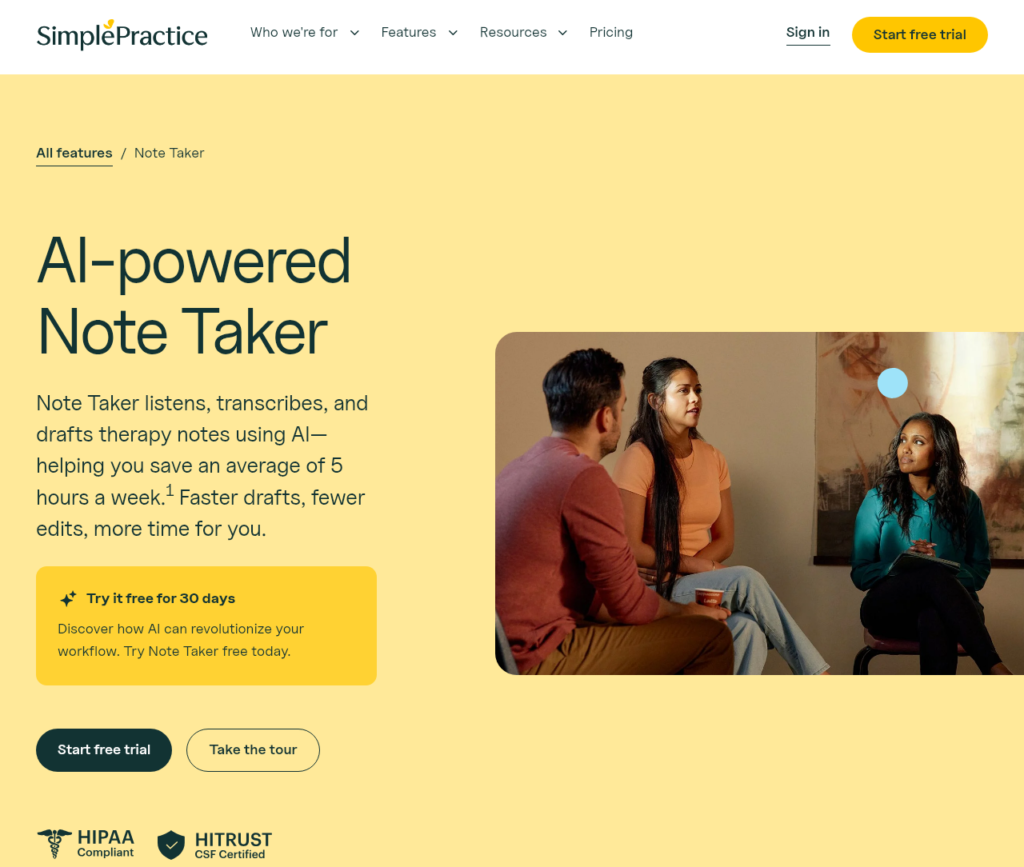
Who is Simple Practice Designed For?
Simple Practice is best suited for:
- Therapists and mental health professionals
- Psychologists and counselors
- Social workers
- Small private practices
- Solo practitioners
Key Benefits at a Glance
- All-in-one practice management solution
- Built-in telehealth capabilities
- Secure client portal
- Easy-to-use interface
- Strong billing and insurance features
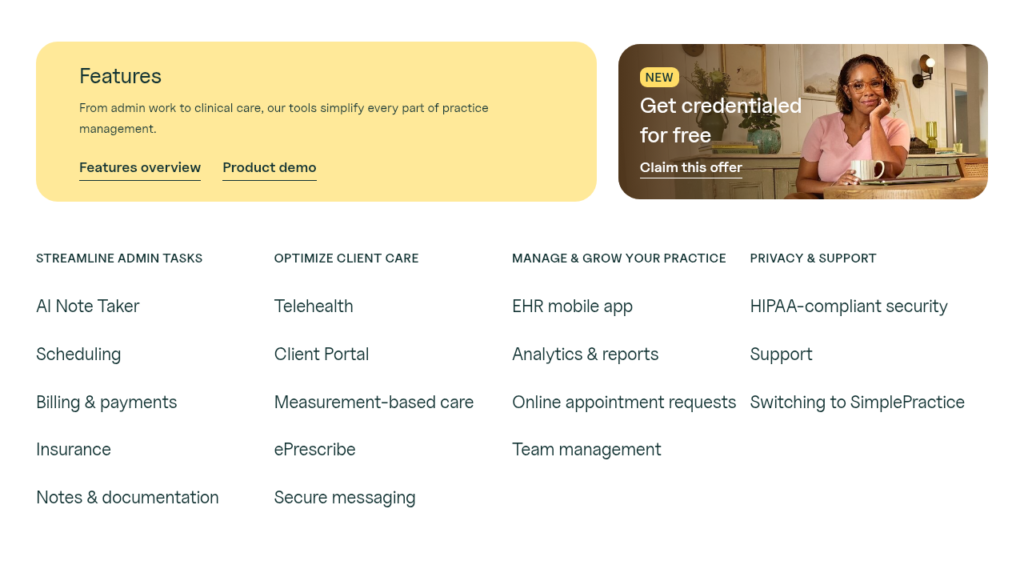
Simple Practice Key Features
Electronic Health Records (EHR)
Simple Practice offers a comprehensive EHR system that allows you to:
- Store and manage client records securely
- Document sessions and treatment plans
- Track progress notes
This ensures all patient data is centralized and easily accessible.
Appointment Scheduling and Calendar
The platform includes a robust scheduling system with:
- Online appointment booking
- Automated reminders
- Calendar syncing
This reduces missed appointments and improves organization.
Telehealth and Online Sessions
Simple Practice provides integrated telehealth functionality, allowing you to:
- Conduct secure video sessions
- Offer remote consultations
- Maintain continuity of care
Client Portal
The client portal allows patients to:
- Book appointments
- Complete intake forms
- Make payments
- Communicate securely
This enhances patient engagement and convenience.
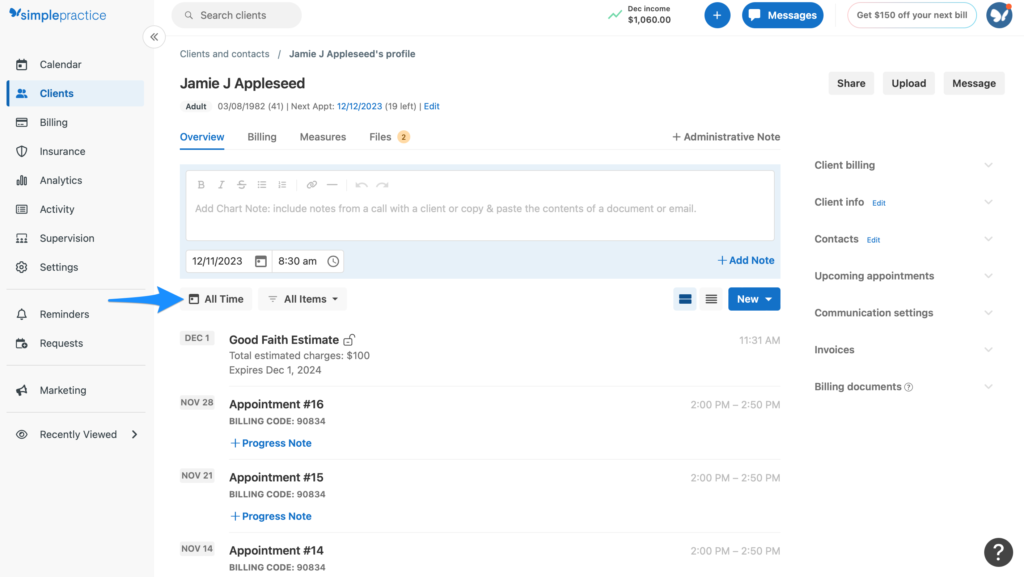
Documentation and Notes
You can create and manage clinical documentation with:
- Pre-built templates
- Customizable notes
- Paperless workflows
Ease of Use and User Experience
Interface and Dashboard
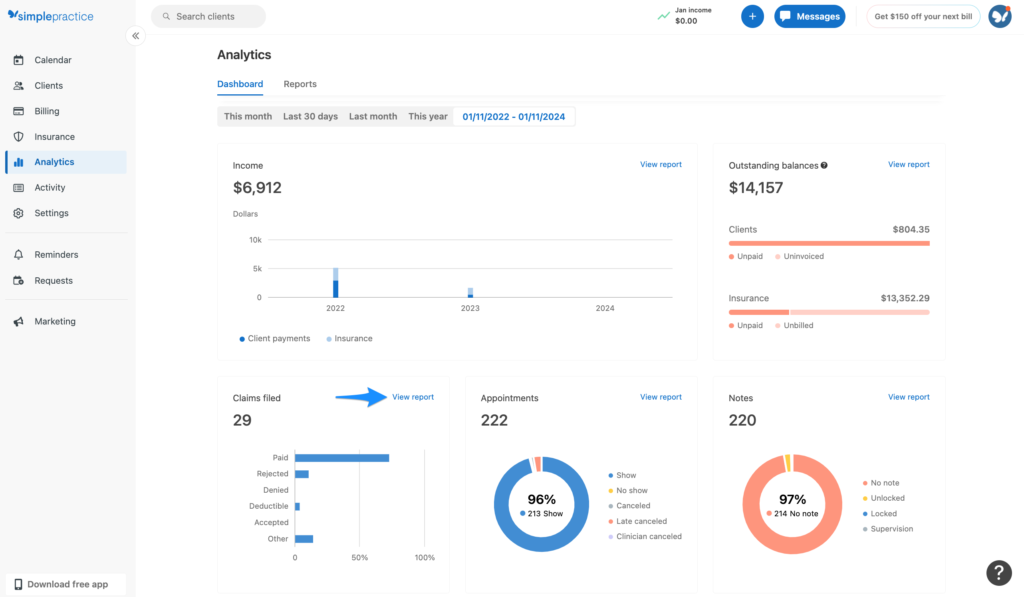
Simple Practice features a clean, intuitive dashboard that is easy to navigate, even for beginners.
Setup and Onboarding
The onboarding process is straightforward, with step-by-step guidance to help new users get started quickly.
Mobile App Experience
The mobile app allows you to:
- Access client information
- Manage appointments
- Conduct telehealth sessions
Simple Practice Pricing and Plans
Pricing Tiers Overview
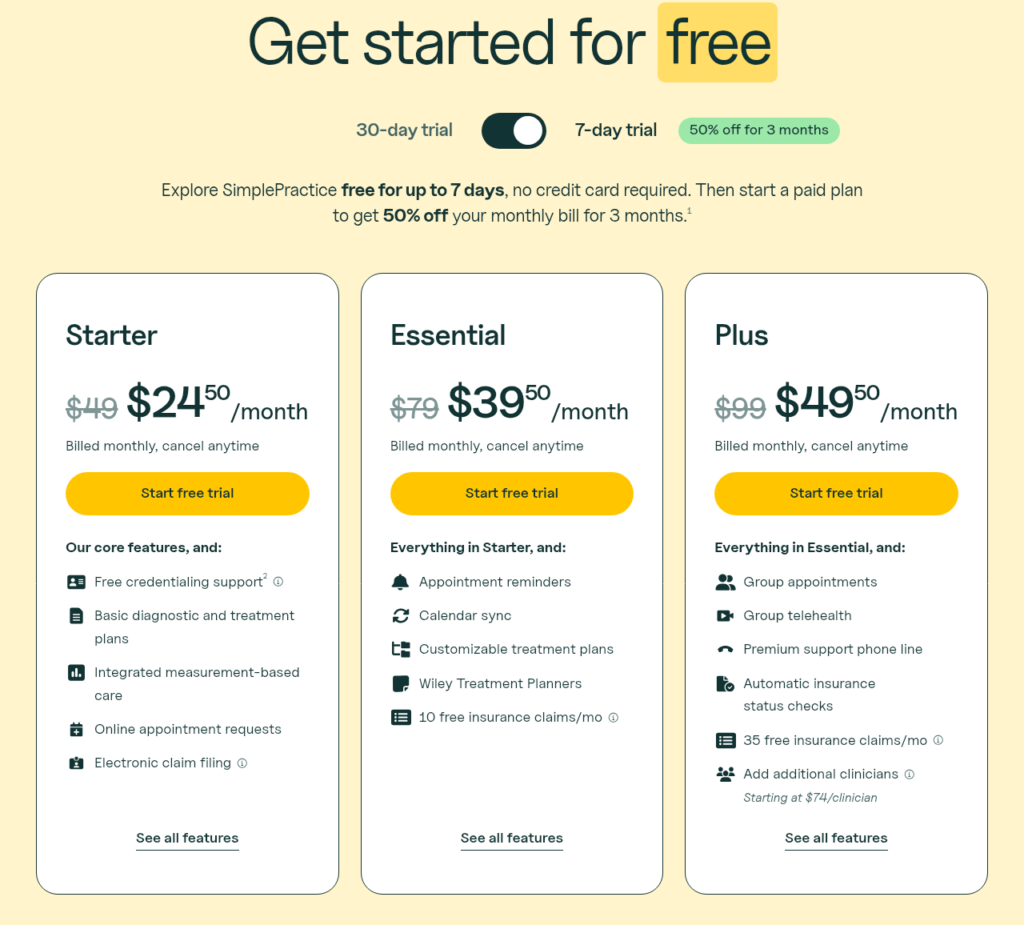
Simple Practice offers multiple pricing tiers, typically based on features and number of users.
What Each Plan Includes
Higher-tier plans generally include:
- Telehealth
- Insurance billing
- Advanced reporting
- Additional storage
Is Simple Practice Worth the Price?
While Simple Practice is not the cheapest option, it provides strong value due to its comprehensive feature set and reliability.
Telehealth Features
Video Sessions
Simple Practice supports secure, HIPAA-compliant video sessions.
Messaging and Communication Tools
You can communicate with clients through secure messaging within the platform.
Remote Client Management
Manage and monitor clients remotely with ease.

Documentation and Clinical Tools
Note Templates and Customization
Use pre-built templates or create custom ones tailored to your practice.
Treatment Plans
Create structured treatment plans and track patient progress.
Paperless Workflow
Reduce paperwork by digitizing all documentation.
Practice Management Features
Appointment Booking System
Clients can book appointments online, saving time for both parties.
Workflow Automation
Automation features include:
- Appointment reminders
- Billing notifications
- Follow-ups
Task Management
Manage tasks and workflows efficiently.
Billing, Invoicing, and Insurance
Payment Processing
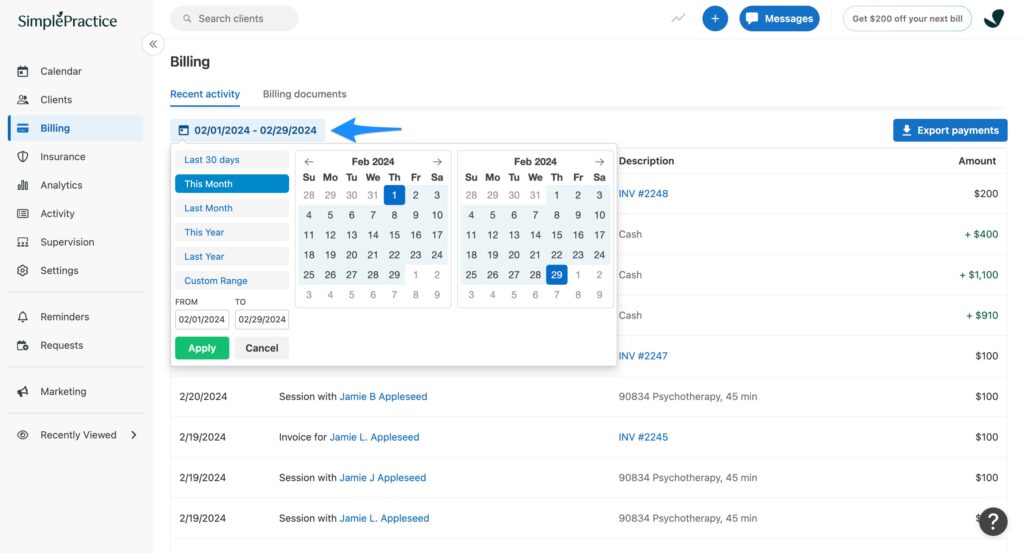
Simple Practice supports online payments and invoicing.
Insurance Claims and Billing
The platform simplifies insurance billing and claim submission.
Financial Reporting
Generate financial reports to track income and expenses.
Integrations and Compatibility
Third-Party Integrations
Simple Practice integrates with various tools to enhance functionality.
Calendar Sync
Sync with Google Calendar and other platforms.
API and Customization
Limited API support compared to some competitors.
Security, Privacy, and Compliance
HIPAA Compliance
Simple Practice is fully HIPAA compliant, ensuring patient data is protected.
Data Encryption and Security
Uses advanced encryption to secure sensitive information.
Client Data Protection
Strong privacy measures safeguard client data.

Customer Support and Training
Support Channels
Includes email, chat, and help center resources.
Response Time and Quality
Generally responsive and helpful.
Training Resources
Provides tutorials, webinars, and onboarding materials.
Simple Practice Pros and Cons
Advantages of Simple Practice
- Comprehensive all-in-one solution
- Strong telehealth features
- Secure client portal
- Easy to use
- Reliable performance
Disadvantages of Simple Practice
- Relatively expensive
- Limited customization
- May be too feature-heavy for very small practices
Simple Practice Reviews and User Feedback
What Users Like
- Ease of use
- All-in-one functionality
- Reliable performance
Common Complaints
- Pricing
- Limited integrations
- Occasional technical issues
Overall Ratings
Simple Practice generally receives positive reviews, particularly from therapists and small practices.
Simple Practice vs Competitors
Simple Practice vs Carepatron
- Simple Practice: More established and feature-rich
- Carepatron: More affordable with a free plan
Simple Practice vs TherapyNotes
- Simple Practice: Better interface
- TherapyNotes: Stronger documentation features
Simple Practice vs Jane App
- Simple Practice: Easier to use
- Jane App: More customization
Who Should Use Simple Practice?
Best for Therapists
Ideal for health professionals needing telehealth and documentation tools.
Best for Small Practices
Great for small clinics looking for an all-in-one solution.
Who Should Avoid It?
- Large hospitals
- Users needing extensive customization
Final Verdict: Is Simple Practice Worth It?
Summary of Key Points
Simple Practice is a powerful and reliable platform that combines essential practice management tools into one system. It is especially strong in telehealth, billing, and client management.
Final Recommendation
If you are a therapist or small practice owner, Simple Practice is a solid investment that can streamline your workflow and improve patient care.
FAQs About Simple Practice
Is Simple Practice free?
No, it does not offer a free plan, but it provides a trial period.
Does Simple Practice support telehealth?
Yes, it includes built-in telehealth features.
Is Simple Practice HIPAA compliant?
Yes, it meets HIPAA compliance standards.
What makes Simple Practice different?
Its combination of ease of use, strong billing features, and integrated telehealth sets it apart.
Conclusion
This Simple Practice review shows that the platform is one of the top choices for therapists and healthcare professionals seeking a reliable, all-in-one practice management solution. While it may be slightly more expensive than some alternatives, its comprehensive features and ease of use make it a worthwhile investment for many users.
If your goal is to simplify your practice operations, improve efficiency, and enhance patient care, Simple Practice is definitely worth considering